Esports players and streamers operate under a different threat model than casual gamers. Your accounts are known, your handle is visible to tens of thousands of viewers, and the financial value of a compromised account, lost sponsorships, stolen digital inventory, damaged reputation, can run into six figures. A hacked streamer account is not an inconvenience; it is a career crisis. In 2026, targeted attacks against gaming content creators increased by 450% according to Akamai's State of the Internet gaming report.
Understanding Credential Stuffing and Why Gamers Are Targeted
Credential stuffing is one of the most common ways gaming accounts get compromised. When a data breach exposes usernames and passwords from one site, attackers run those credentials automatically against dozens of other platforms. Gaming accounts are attractive targets because they often hold real monetary value, stored currency, rare items, and linked payment methods.
The core problem is reuse. If the same password protects your email, your streaming account, and your game library, a single breach anywhere in that chain puts everything at risk. Esports players are especially exposed because they maintain active accounts across many platforms simultaneously, increasing the surface area for attack.
A useful habit is checking whether an email address has appeared in known breach databases. Several free services aggregate this information. If your address appears, treat every password associated with that email as compromised and rotate them immediately.
Common Mistakes That Create Vulnerabilities
Even security-conscious players often fall into patterns that undermine their defences. The following mistakes are worth auditing against your own habits:
- Using predictable variations. Changing password1 to password2 when forced to update gives attackers almost nothing to work around. Automated tools test common variations as a first step.
- Storing passwords in browser autofill without a master password. If your device is accessed by someone else, at a LAN event, in a shared house, or through remote access software, saved browser credentials are often trivially exposed.
- Using your gamertag or stream name as part of a password. Attackers targeting a specific person will try obvious personal references first.
- Approving MFA prompts without reading them. Push-based authentication requests can be triggered by attackers to wear you down until you tap approve by mistake. Always verify the login location and time shown in the prompt.
- Neglecting recovery options. Backup email addresses and phone numbers linked to accounts are themselves attack vectors. A recovery email with a weak password can be the back door into an otherwise well-secured account.
Verifying Your Security Measures Actually Work
Setting up security features is only half the job. Regularly verifying that they function as intended catches misconfigurations before an attacker does.
For multi-factor authentication, run a test login from a private browsing window or a second device. Confirm that the MFA prompt genuinely appears before access is granted and that backup codes are stored somewhere offline, printed or written down and kept physically secure.
For passwords, open your password manager periodically and look for any entries flagged as duplicated or weak. Most managers surface these automatically. If you spot a duplicated password shared between a low-stakes account and a high-value one, treat that as an urgent fix rather than a minor note.
Check active sessions on your major platforms every few weeks. Most gaming and streaming services provide a list of devices currently signed in, along with location and browser information. Any unfamiliar entry should result in an immediate password change and session termination across all devices.
Securing Accounts You No Longer Actively Use
Old accounts represent a quiet but real risk. A forum account created years ago, an early streaming profile, or a game client from a previous title may still hold valid credentials tied to your current email address. If one of those services is breached, those credentials become ammunition for stuffing attacks against your active accounts.
Where possible, delete accounts you no longer need. Where deletion is not available, at minimum:
- Change the password to a long random string you do not use elsewhere.
- Remove any linked payment methods.
- Replace the associated email with a throwaway address if the platform allows it.
- Revoke any connected third-party app permissions.
This limits the damage a breach of that old service can do and removes it as a path back to your identity.
Building Sustainable Habits Over Time
Security improvements tend to fail when they rely on willpower alone. Treating account hygiene as a monthly routine rather than a one-time project makes it sustainable. Set a recurring reminder to review active sessions, check for newly breached credentials, and rotate passwords on your highest-value accounts. Small, regular actions compound into a significantly harder target than any single hardening measure applied once.
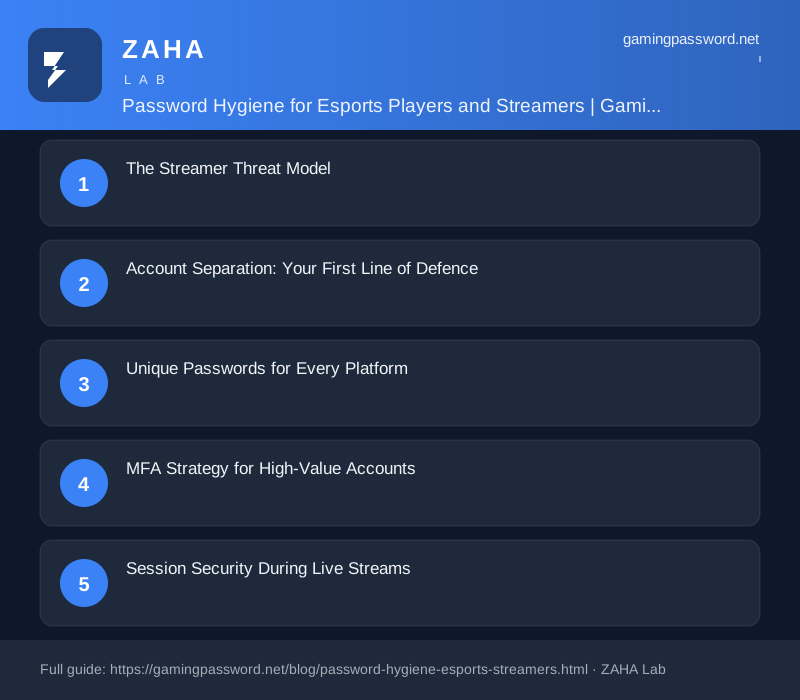
The Streamer Threat Model
Streamers and esports players face these specific threats: targeted credential stuffing using known handles and email addresses scraped from stream chats, SIM-swap attacks to intercept SMS MFA codes, phishing sites disguised as platform login pages sent through Twitch chat or Discord DMs, session token theft through malicious browser extensions, and insider threats from moderators or collaborators with shared account access.
The Verizon 2026 Data Breach Investigations Report notes that targeted attacks against high-visibility individuals succeed in 73% of cases when the victim does not use a hardware security key. Every streamer should assume they will be specifically targeted at some point.
Account Separation: Your First Line of Defence
The single most important security practice for streamers is account separation. Use separate email addresses for: streaming platforms (Twitch, YouTube Gaming, Kick), gaming platforms (Steam, Epic, Battle.net), social media (Twitter/X, Discord, Instagram), and financial accounts (sponsorship payments, Stripe, PayPal).
This containment principle means that if one account is compromised, the attacker cannot pivot to others through email reset. The email account associated with your streaming platform is particularly critical, protect it with the strongest available MFA.
Unique Passwords for Every Platform
Every platform account worth considering a unique, randomly generated password. Use a password manager to create and store these credentials. For high-value accounts (Twitch, Steam, Discord admin), use passwords of at least 20 characters with full complexity.
Do not use passphrases as your account passwords, use randomly generated character strings from the password manager. Passphrases are excellent for master passwords (the one you memorise), but account-level passwords should be pure random. A Bitwarden or 1Password family plan is a business expense for any serious content creator.
MFA Strategy for High-Value Accounts
For streaming and gaming accounts, use this tiered MFA approach: Tier 1 (Essential), Authenticator app TOTP on every platform that supports it. No exceptions. Tier 2 (Strong), Hardware security key (YubiKey) on email accounts and password manager. If the email is secured with a hardware key, password resets for all other accounts are protected. Tier 3 (Maximum), Hardware key on all supported platforms (Steam, Discord, Google Workspace).
Enable MFA on the password manager itself. If you use 1Password or Bitwarden, the master password + TOTP authenticator + hardware key combination protects the vault containing every other credential.
Session Security During Live Streams
Live streaming introduces unique session security risks. Your streaming software (OBS, Streamlabs) may have browser integrations that expose session tokens. Chat commands, overlay alerts, and donation notifications can load external content that leaks information. Follow these practices: never type passwords on stream (use the password manager autofill which does not display the credential), mute microphone notifications for password reset emails or MFA codes, use a separate browser profile for streaming platform management (not your personal browsing profile), and log out of sensitive accounts before ending a stream.
Incident Response Plan for Creators
Every streamer needs a written incident response plan for account compromise. The plan should cover: who to contact at each platform (Twitch Trust & Safety, Steam Support, Discord Trust & Safety), how to trigger account recovery using backup codes stored offline, the order of account recovery (email first, then password manager, then streaming platform), and communication plan for followers (what to post, how to verify the account is restored).
Test your recovery plan quarterly. Knowing where your backup codes are and what the recovery process looks like when you are calm is the difference between a recovered account and a lost career. Store backup codes in a home safe, with a trusted family member, and in a password-protected document on encrypted cloud storage (not the same device as your authenticator app).
FAQs
Should streamers use a VPN? Get PureVPN, Privacy & Security Online
A VPN protects against IP-based targeting (DDoS attacks during streams) but does not directly improve credential security. Use a reputable VPN like Hide My Name or Mullvad for streaming, but do not rely on it as a substitute for unique passwords and MFA.
How often should streamers change passwords?
Following NIST 2026 guidelines, there is no need for routine password changes on well-managed accounts. Change passwords only when there is evidence of compromise or after a security incident involving the platform.
Can a streamer share account access with a moderator safely?
Avoid it where possible. If sharing is necessary (social media management, editing access), use each platform's built-in role management rather than sharing the password. Discord roles, Twitter/X delegate access, and YouTube channel managers all allow controlled access without sharing credentials.
What is the most common way streamers get hacked?
Phishing remains the most common vector. Fake Twitch login pages, Discord verification bots, and 'sponsorship opportunity' emails containing login links. The best defence is to always navigate directly to the platform URL, never click login links from emails, DMs, or chat messages.